
Jazila IT Services.: Where Passion Meets Precision in Computer Training.
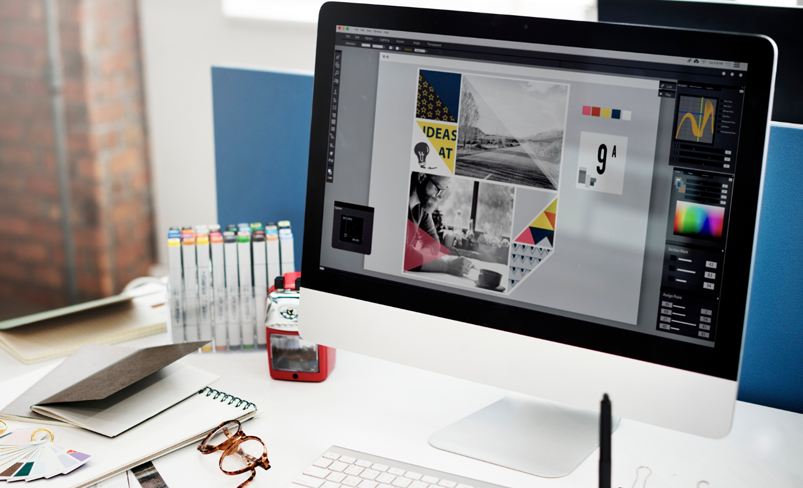
Graphic Designing

  • Home
  • Graphic Designing
Graphic Designing

Graphic Designing

  • Mode: Online / Offline
  • Duration: 3 Months
  • Level: Beginner to Intermediate
  • Tools Covered: Adobe Photoshop, CorelDRAW, MS Paint
  • Ideal For: Ideal ForStudents, Creatives, Professionals, Business Owners

Course Overview

This comprehensive Graphic Designing course is crafted to equip students with essential design skills using industry-standard tools like Adobe Photoshop, CorelDRAW, and MS Paint. Over the span of 3 months, learners will build a strong foundation in digital graphics, photo editing, layout design, and creative visual content development.

Course Modules

Month 1: Graphic Designing Basics – Photoshop foundation

Week 1: Introduction to Graphic Designing & MS Paint

  • What is Graphic Designing?
  • Introduction to Raster vs Vector graphics
  • Getting started with MS Paint
  • Tools in MS Paint: Pencil, Brush, Shapes, Text
  • Drawing and saving basic shapes and images

Week 2: Fundamentals of Adobe Photoshop

  • Introduction to Adobe Photoshop interface
  • Workspace, Toolbar, Panels
  • Opening, Saving, and Creating Documents
  • Understanding resolution and canvas size
  • File formats (JPG, PNG, PSD)

Week 3: Photoshop Selection & Layers

  • Selection Tools: Marquee, Lasso, Magic Wand
  • Understanding Layers
  • Layer Panel: Hide/Show, Lock, Group, Merge
  • Move Tool, Aligning Elements
  • Hands-on mini-project: Poster with selection and layering

Week 4: Image Editing in Photoshop

  • Image Cropping, Resizing, and Rotation
  • Color Correction, Brightness/Contrast
  • Using Clone Stamp, Healing Brush, Patch Tool
  • Basic photo retouching
  • Hands-on: Retouch an old photo

Month 2: Asvanced Photoshop – CorelDRAW Creative Skills

Week 5: Text & Typography in Photoshop

  • Text Tool: Horizontal & Vertical
  • Fonts, Styles, Paragraphs
  • Warping Text
  • Text Effects: Shadow, Stroke,
    Glow
  • Hands-on: Create a social media post

Week 6: Filters, Effects & Exporting

  • Using Filters & Smart Filters
  • Blending Modes
  • Using Gradients & Patterns
  • Exporting in various formats for web and print
  • Mini-project: YouTube Thumbnail Design

Week 7: Introduction to CorelDRAW

  • Overview of Vector Graphics
  • Introduction to CorelDRAW interface
  • Toolbars, Menus, and Dockers
  • Page Setup and File Management
  • Basic Shapes: Rectangle, Circle, Polygon

Week 8: CorelDRAW Drawing Tools

  • Freehand, Bezier, Pen Tool
  • Shaping Objects (Weld, Trim, Intersect)
  • Fill and Outline Tool
  • Grouping, Aligning, and Duplicating Objects
  • Hands-on: Logo design with shapes

Month 3: Professional CorelDRAW Projects – Portfolio Development

Week 9: Working with Text in CorelDRAW

  • Artistic vs Paragraph Text
  • Font Settings, Text Alignment
  • Text Wrapping, Fitting Text to Path
  • Creating Certificates and Invitations

Week 10: Advanced Object Manipulation

  • Using Layers in CorelDRAW
  • PowerClip, Transparency Tool
  • Drop Shadow, Contour, Envelope Tool
  • Object Blending and Mesh Fill

Week 11: Real-Life Projects

  • Business Card Design

  • Letterhead & ID Card Design
  • Banner & Flyer Design

  • Poster Design (Event/Promotion)

Week 12: Final Project + Portfolio Development

  • Final Mini Project: Brand Design (Logo, Banner, Visiting Card)
  • Exporting for Print vs Web
  • Portfolio Tips: How to present your work
  • Course Review & Doubt Clearing